 Jotform
General Affidavit Template
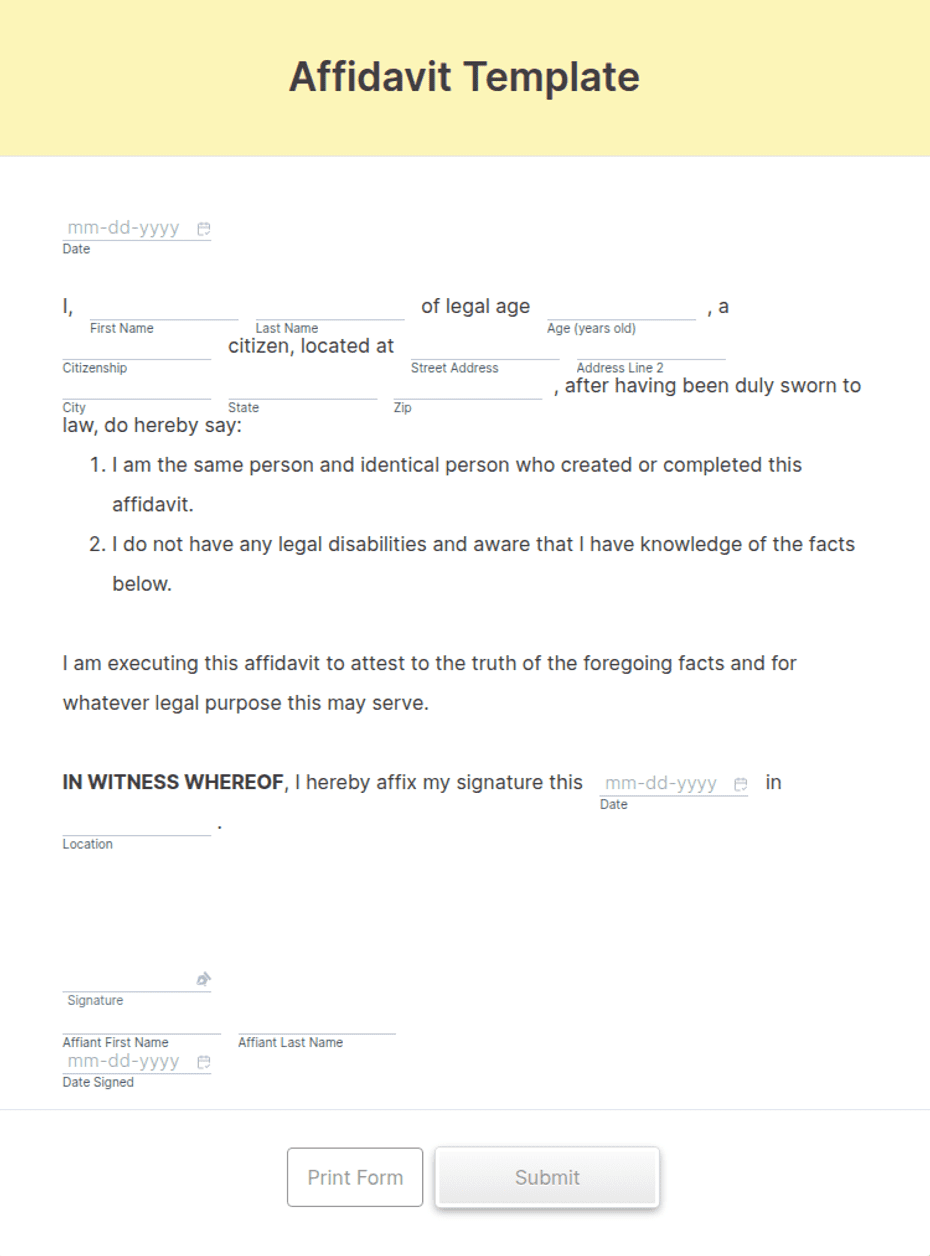
General affidavit with affiant details, a sworn statement of facts, a signature and date, and a notary block for jurat and commission details.
Available online on
Download as
- Free PDF and Word downloads for offline use
- Fillable fields you can customize for your business
- Share a link or print copies for in-person sign-ups
- Ready-made online forms on popular form builders
Last updated July 18, 2026. Reviewed by the Online Signature Forms team.
About this template
An affidavit is a written statement of facts that the person making it — the affiant — swears is true. It is used whenever someone needs to put facts on the record under oath without appearing in person: confirming an address, correcting a name, verifying identity, supporting a court filing, or attesting to an event they witnessed. A general affidavit works for any of these because the statement paragraph is open — you write the facts in your own words. The document then closes with the affiant's dated signature and a notary block where the statement is sworn to and signed before a notary public.
What makes an affidavit different from an ordinary letter is the oath. By signing, the affiant declares under penalty of perjury that the statement is true, and the notary's jurat records that the affiant swore to it in the notary's presence. That is why this layout keeps the facts readable and places a clear notary block at the end with the state and county, the "sworn to and subscribed before me" line, the notary's signature, and the commission expiry. This is a general-purpose layout, not legal advice; requirements for witnessing and notarization vary by jurisdiction.
How this document is used
A person who has lost a document files an affidavit of loss so a replacement can be issued. A relative confirms a family relationship for an estate or benefits claim. A witness records what they saw before memory fades. In each case the affidavit turns a personal account into a signed, sworn record that a court, agency, or business can rely on. The affiant keeps a copy and submits the original where it is required.
Complete and sign it correctly
Fill in the affiant's full legal name, address, and any identifying details, then write the statement of facts as clearly and specifically as you can — dates, names, and amounts rather than generalities. Do not sign the affidavit in advance. Because notarization is usually required, you sign in front of the notary so they can administer the oath and complete the jurat. Bring valid photo ID. Open the Word file to adjust the wording, or use the fillable PDF to complete it on a device before printing.
Common mistakes to avoid
Do not include opinions, hearsay, or guesses — an affidavit should contain facts you know first-hand. Do not leave blanks in the statement; strike through unused space instead. Do not sign before the notary if notarization is required, because a jurat only certifies an oath the notary actually witnessed. And do not forget to date the signature: an undated affidavit can be challenged.
Example scenario
A tenant's mail is being sent to an old address, so they prepare an affidavit stating their correct current address and the date they moved. They take valid ID and the unsigned affidavit to a notary, sign it in the notary's presence, and the notary completes the state, county, date, signature, and commission-expiry lines. The tenant submits the notarized affidavit to the agency, which updates the record without requiring them to appear in person.
Choosing PDF or Word
This page offers a printable fillable PDF and an editable Word (DOCX) file. Use the Word file when you need to reword the statement or add jurisdiction-specific language before printing, and the PDF when the facts are set and you only need to fill and sign. Both include the affiant signature line and a complete notary block so the affidavit is ready to be sworn.
Typical fields
- Affiant full legal name
- Affiant address and contact details
- Date of birth / identifying details (optional)
- Statement of facts (sworn declaration)
- Sworn-to statement ("I declare under penalty of perjury the above is true")
- Affiant signature and date
- Notary block: state and county
- Sworn to and subscribed before me on (date)
- Notary public signature and printed name
- My commission expires
Best for
- Affidavit of loss, residence, or identity
- Supporting a court filing or claim
- Verifying a fact for an agency or business
- Recording a first-hand witness account
When to use PDF vs online
Use the PDF or Word download for in-person sign-ups, fax, or email attachments. Choose an online form when you need automatic notifications, payment integrations, or a shareable link for customers.