 Jotform
Letter of Intent Template
Letter of intent outlining the parties, purpose, and key terms of a proposed deal, with a binding vs non-binding note and dated signatures.
Available online on
Download as
- Free PDF and Word downloads for offline use
- Fillable fields you can customize for your business
- Share a link or print copies for in-person sign-ups
- Ready-made online forms on popular form builders
Last updated July 18, 2026. Reviewed by the Online Signature Forms team.
About this template
A letter of intent (LOI) sets out, in writing, that two parties intend to move forward with a deal before the final contract is drafted. It captures the shape of the arrangement — who is involved, what is proposed, and the key terms both sides have discussed — so everyone is aligned while lawyers and details are worked out. LOIs are common in business acquisitions, commercial leases, real estate purchases, partnerships, and employment offers. Most of the document is non-binding by design; it signals serious intent without locking either party into the full transaction.
The heart of an LOI is clarity about what is agreed and what is not. This layout lays out the parties, the purpose, an outline of the key terms, and — critically — a statement of which parts are binding and which are non-binding. That distinction matters: terms like confidentiality or exclusivity are often binding even when the rest is not. This is a general-purpose layout, not legal advice; requirements for witnessing and notarization vary by jurisdiction, and you should have an attorney review any binding language before you sign.
How this document is used
A buyer sends an LOI to a business owner proposing a purchase price and timeline so both can justify the cost of due diligence. A tenant and landlord outline rent, term, and improvements before drafting a lease. An employer summarizes a role, salary, and start date ahead of a formal offer letter. In each case the LOI turns a verbal understanding into a written reference point, reducing misunderstandings once the detailed contract is negotiated.
Complete and sign it correctly
Enter both parties' names, state the purpose of the letter, and outline the key terms — price or consideration, timeline, conditions, and any exclusivity. Then complete the binding vs non-binding note so it is explicit which provisions are enforceable now and which await a final agreement. Both parties sign and date to acknowledge the intent. Use the Word file to expand the terms or add a confidentiality clause, or the fillable PDF to complete and sign a clean copy.
Common mistakes to avoid
Do not leave the binding vs non-binding status ambiguous — unclear language can accidentally create a contract or an obligation you did not intend. Do not treat the LOI as the final deal; it is a framework, not a substitute for a signed contract. Do not omit key terms like price or timeline that the parties actually agreed. And do not sign binding provisions without understanding them — have them reviewed first.
Example scenario
A company wants to acquire a small competitor. It sends an LOI outlining a proposed price, a 60-day exclusivity period, and a due-diligence timeline, and states that only the confidentiality and exclusivity sections are binding while the purchase itself is non-binding and subject to a definitive agreement. Both parties sign and date it. The buyer then begins due diligence knowing the seller will not shop the deal elsewhere during the exclusivity window.
Choosing PDF or Word
This page offers a printable fillable PDF and an editable Word (DOCX) file. Use the Word file to draft detailed terms and adjust the binding language before printing, and the PDF when the outline is set and you only need to fill and sign. Both include the parties, purpose, key-terms outline, a binding vs non-binding note, and dated signatures for both sides.
Typical fields
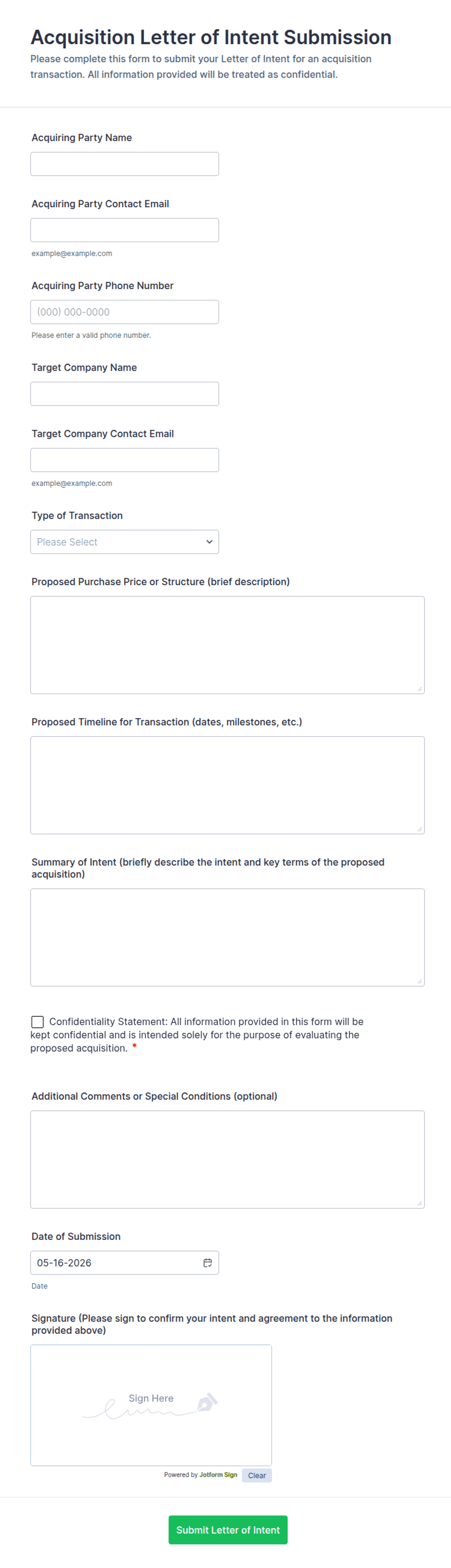
- Party 1 name and address
- Party 2 name and address
- Purpose of the letter of intent
- Key terms / outline (price, timeline, conditions)
- Exclusivity or confidentiality terms (if any)
- Binding vs non-binding statement
- Proposed next steps and target date
- Party 1 signature, printed name, and date
- Party 2 signature, printed name, and date
Best for
- Business acquisitions and partnerships
- Commercial leases and real estate deals
- Employment and offer negotiations
- Framing a deal before the final contract
When to use PDF vs online
Use the PDF or Word download for in-person sign-ups, fax, or email attachments. Choose an online form when you need automatic notifications, payment integrations, or a shareable link for customers.