 forms.app
Vehicle Bill of Sale Template
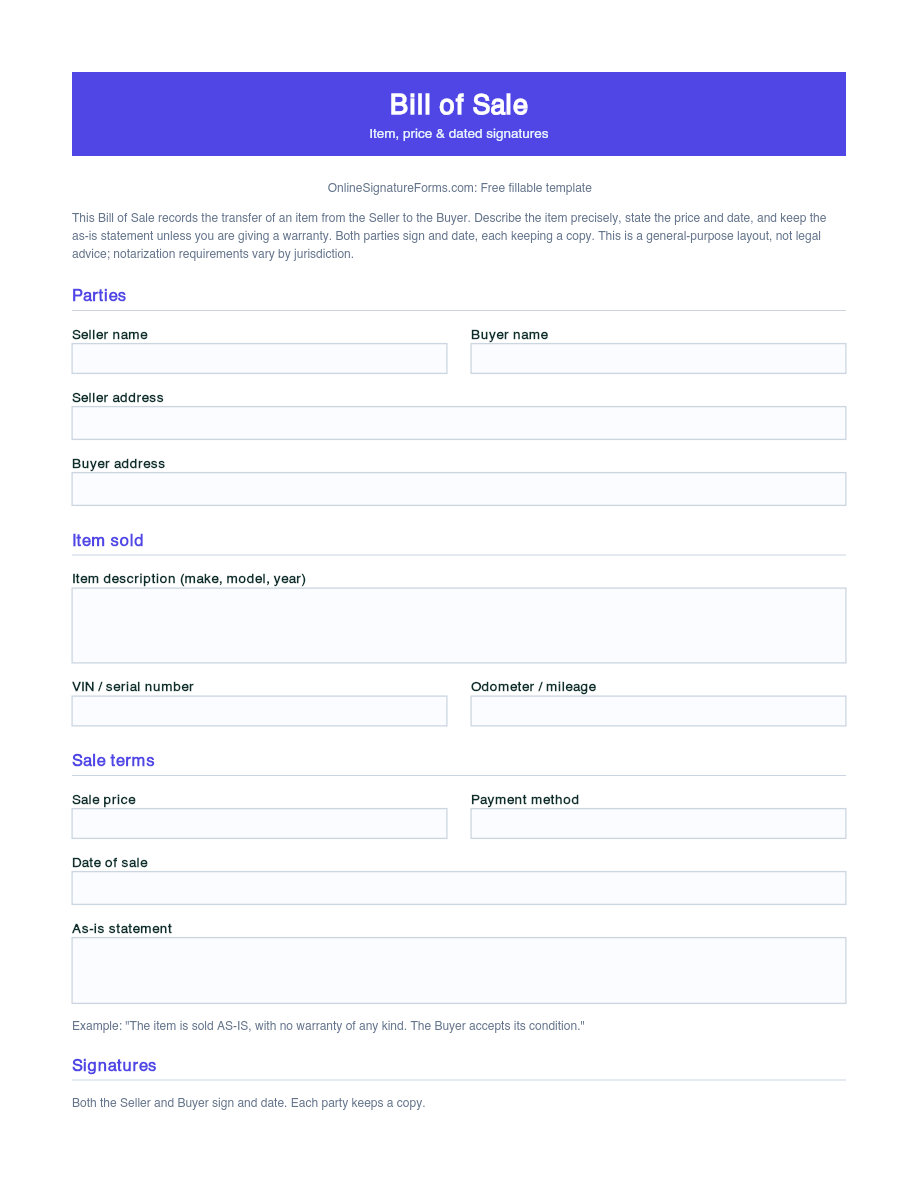
Vehicle bill of sale recording a car, truck, or motorcycle sale between a seller and buyer, with make, model, year, VIN, odometer, sale price, an as-is statement, and dated signatures.
Available online on
Download as
- Free PDF and Word downloads for offline use
- Fillable fields you can customize for your business
- Share a link or print copies for in-person sign-ups
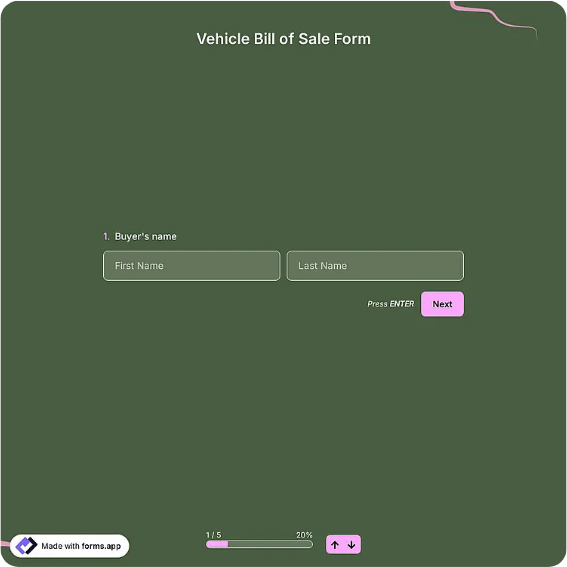
- Ready-made online forms on popular form builders
Last updated July 18, 2026. Reviewed by the Online Signature Forms team.
About this template
A Vehicle Bill of Sale is the signed receipt that proves a car, truck, motorcycle, or trailer changed hands in a private sale. It records who sold the vehicle, who bought it, the exact vehicle by make, model, year, and VIN, the odometer reading, the price paid, and the date ownership transferred. Private sellers, buyers, and casual dealers use one because there is no dealership invoice to fall back on, and because most licensing offices want written proof of the sale before they will title and register the vehicle in the buyer's name.
The whole point of this document is proof and finality: the buyer uses it to register the vehicle and show ownership, and the seller uses it to show that responsibility for the vehicle passed on the date of sale. That is why this layout pairs a detailed vehicle-description block with a sale-price and payment line, a plain as-is statement, and a dated two-party signature section, with an optional notary line for states that require it. This is a general-purpose layout with the sections most vehicle sales need, not legal advice; VIN disclosure, odometer, and notarization rules vary by state, so check your local DMV requirements.
How teams use this form
A private seller listing a used sedan completes the bill of sale at handover, recording the VIN, mileage, agreed price, and "sold as-is," and the buyer takes it to the DMV to title the car. A small used-car flipper keeps a signed copy of every sale for their records and taxes. A buyer purchasing a project motorcycle notes the VIN and odometer so ownership is unambiguous even though the bike isn't running. The common thread: no signed bill of sale, no clean transfer of ownership.
Customize the vehicle details before signing
Open the Word (DOCX) download to adjust the vehicle fields, add lien-release or trade-in language, insert a payment-plan schedule, or add your state's odometer-disclosure statement before printing. Name both parties, describe the vehicle by make, model, year, body style, and color, and record the VIN and odometer reading exactly. The fillable PDF is ready to sign on paper or on a device — keep the as-is statement and the dated signature lines intact so the finished bill of sale is complete.
Common mistakes to avoid
Do not describe the vehicle loosely — the VIN and odometer reading remove any doubt about which vehicle was sold and its recorded mileage. Do not leave the price or the date of sale blank, since both matter for tax and liability. Do not delete the as-is statement if you are selling without a warranty. And do not forget that both parties sign and date: a bill of sale only proves the transfer once the seller and buyer have both signed. Complete the notary line in front of a notary if your state requires it.
Example scenario
A private seller and a buyer agree on a used pickup truck. They fill in the make, model, year, VIN, and odometer reading, the agreed price and payment method, and the date, and keep the as-is clause because the truck is sold with no warranty. Both sign and date two copies. The buyer takes their copy to the licensing office to title and register the truck, and the seller keeps theirs as proof that ownership and responsibility passed on the sale date.
Choosing PDF or Word
This page offers a printable fillable PDF and an editable Word (DOCX) file. Use the Word file to adjust the vehicle fields, add odometer-disclosure or lien language, or insert a notary line before printing, and the PDF when the details are set and you only need to fill and sign. Both include the vehicle description, price, as-is statement, and dated seller and buyer signatures so the sale is properly recorded.
Typical fields
- Seller full name and address
- Buyer full name and address
- Vehicle make, model, and year
- Body style and color
- VIN (vehicle identification number)
- Odometer / mileage reading
- Sale price and payment method
- Date of sale
- As-is statement
- Seller signature and date
- Buyer signature and date
- Optional notary block: state/county, signature, commission expires
Best for
- Private car, truck, or SUV sales
- Motorcycle, trailer, and boat sales
- Used-vehicle flippers and casual dealers
- Proof of ownership for DMV titling
When to use PDF vs online
Use the PDF or Word download for in-person sign-ups, fax, or email attachments. Choose an online form when you need automatic notifications, payment integrations, or a shareable link for customers.