 Jotform
Photo Consent Form Template
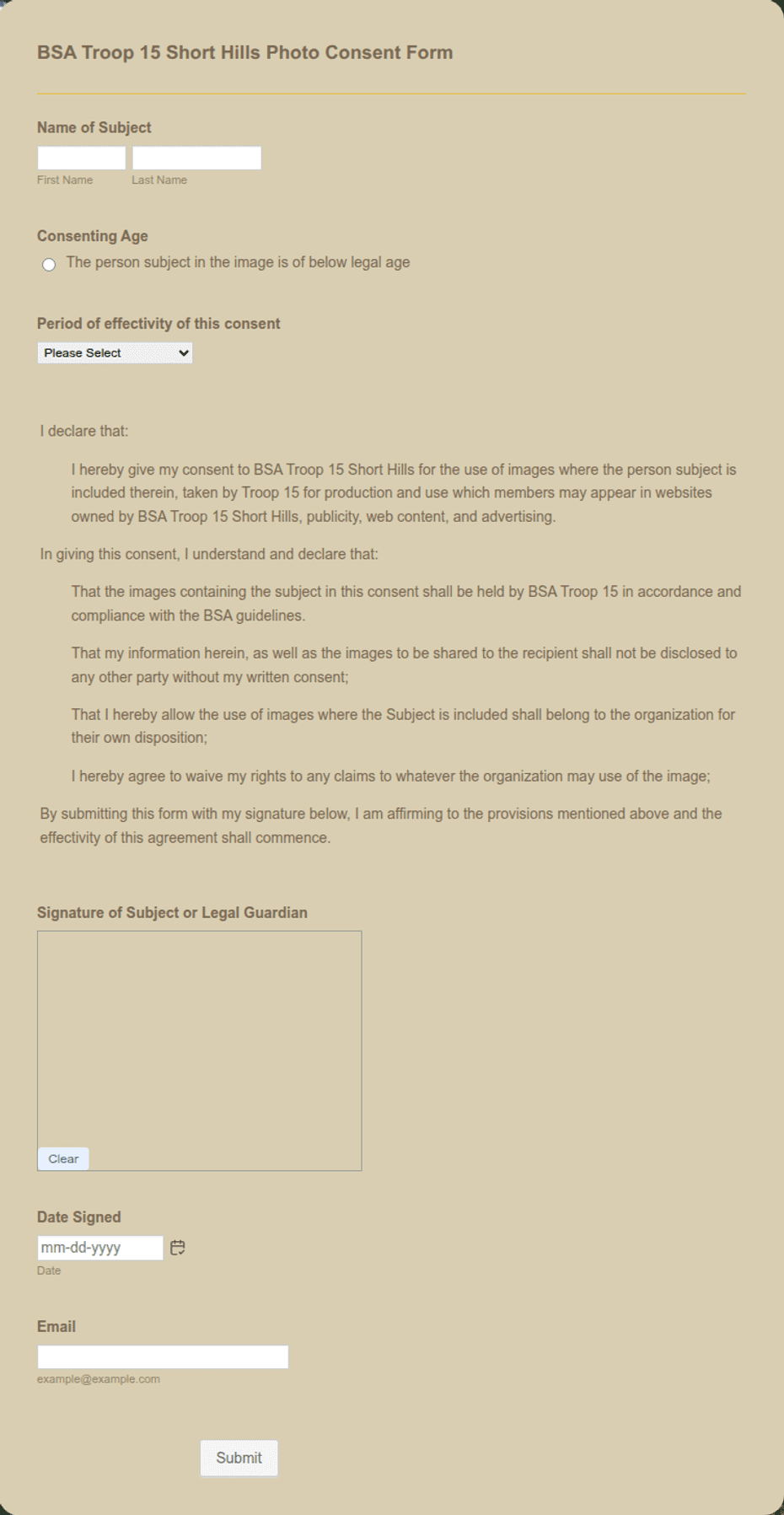
Consent to photograph a person and use their image, with the subject name, permitted uses, duration, a consent statement and checkbox, and a dated signature.
Available online on
Download as
- Free PDF and Word downloads for offline use
- Fillable fields you can customize for your business
- Share a link or print copies for in-person sign-ups
- Ready-made online forms on popular form builders
Last updated July 18, 2026. Reviewed by the Online Signature Forms team.
About this template
A Photo Consent Form is how a person gives permission to be photographed and for those images to be used in specific ways — on a website, in marketing, or across social media. Photographers, schools, event organizers, nonprofits, gyms, and marketing teams all use one so there is a signed record of what the subject agreed to. Typical fields include the subject's name, how the images may be used, how long the permission lasts, a plain-language consent statement, and a dated signature line — plus a guardian section when the subject is a minor.
The signature is the point of the document: it protects both the person in the photo and the organization using it. This layout keeps the permitted uses and duration easy to read, places an acknowledgment checkbox above the signature, and adds a guardian row so a parent can grant permission for a child. To be clear, this is a general-purpose layout with the sections most photo releases need — not legal advice. Have the appropriate professional review the wording before you rely on it for a commercial campaign.
How teams use this form
A wedding photographer includes it so a couple's images can appear in a portfolio and on Instagram. A school collects one per family before publishing class photos in a newsletter or on its site. A nonprofit gets signed consent from program participants before featuring their stories in a fundraising appeal. A gym asks members to sign before posting workout footage. The common thread: no signature, no publishing.
Customize the statement before signing
Open the Word (DOCX) download to spell out exactly which channels are covered — website, social media, print, paid ads — and set the duration, whether that is a single campaign, a fixed term, or indefinitely until revoked. Add your organization name and logo, and note whether the subject will be credited or paid. The fillable PDF suits signing on paper or on a device; keep the checkbox and signature block intact so the release is complete.
Common mistakes to avoid
Do not leave the uses open-ended — "any use" is far weaker than a clear list of channels. Do not forget the duration and how consent can be withdrawn. And for anyone under 18, do not accept the subject's own signature — a parent or legal guardian must complete the guardian section. Give the signer a copy so they know exactly what they permitted.
Example scenario
A youth sports league wants to feature action shots on its website and social accounts. Before the season, each parent reads the consent statement, ticks the acknowledgment box, notes their relationship to the child, and signs the guardian line with the date. The league keeps the signed forms on file and only publishes images of players whose parents consented. When one family later asks to remove a photo, the form's withdrawal note tells staff exactly how to handle it.
Choosing PDF or Word
This page provides a printable fillable PDF and an editable Word (DOCX) file. Use the Word file when you need to change the permitted uses, set the duration, or remove the guardian section before printing, and the PDF when the terms are set and you just need to fill and sign. Both include the acknowledgment checkbox and a dated signature block so the release is ready to use.
Typical fields
- Subject name
- How images may be used (marketing, social, web, print)
- Duration of consent
- Photographer / organization
- Consent statement and acknowledgment checkbox
- Parent or guardian name (for minors)
- Relationship to subject
- Subject or guardian signature and date
Best for
- Photographers and event organizers
- Schools and youth programs
- Nonprofits and marketing teams
- Publishing images of a minor
When to use PDF vs online
Use the PDF or Word download for in-person sign-ups, fax, or email attachments. Choose an online form when you need automatic notifications, payment integrations, or a shareable link for customers.