 forms.app
Field Trip Permission Form Template
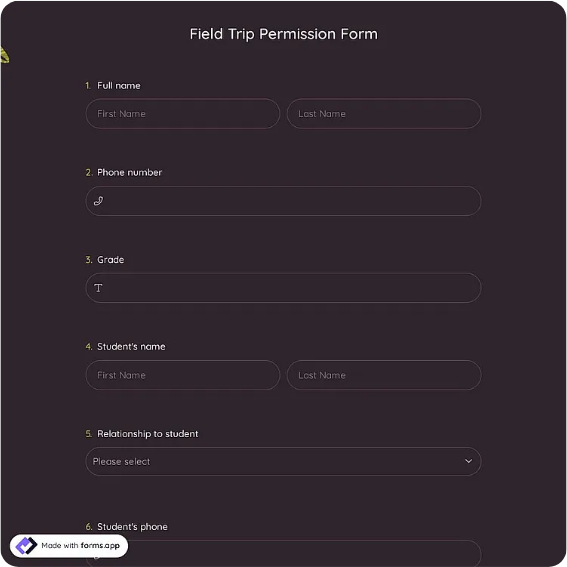
Field trip permission slip with student and trip details, emergency contact, medical and allergy notes, a permission statement with acknowledgment checkbox, and a dated parent or guardian signature.
Available online on
Download as
- Free PDF and Word downloads for offline use
- Fillable fields you can customize for your business
- Share a link or print copies for in-person sign-ups
- Ready-made online forms on popular form builders
Last updated July 18, 2026. Reviewed by the Online Signature Forms team.
About this template
A Field Trip Permission Form is the signed slip a parent or guardian completes to allow their child to take part in a school or program outing. Schools, daycares, scout troops, youth clubs, and camps use one so every student has documented permission, an emergency contact, and any medical notes on file before the group leaves. Typical fields include the student's name and grade or class, the trip's date, destination, and departure and return times, an emergency contact, medical and allergy notes, a permission statement, an acknowledgment checkbox, and a dated parent or guardian signature.
The signature is the whole point of the slip: it records that a parent or guardian has read the trip details and agrees to let their child attend. This layout keeps the trip and medical details easy to read and places the permission statement and its acknowledgment checkbox directly above the signature line. To be clear, this is a general-purpose layout with the sections most permission slips include — not legal advice. Adjust the wording to match your school or program's policies, and have the appropriate administrator review it before you rely on it.
How teams use this form
An elementary school sends the slip home a week before a museum trip and collects the signed copies at the front office. A scout troop uses it for every outing so leaders carry an emergency contact and allergy note for each scout. An after-school program keeps signed slips on file for the season's excursions. The common thread: no signed permission slip, no seat on the bus.
Customize the slip before sending it home
Open the Word (DOCX) download to fill in the trip specifics — destination, date, times, transportation, and cost — and add any lines your program needs, such as medication instructions or a photo-release note. Add your school or troop name and logo, and adjust the medical section to match how you handle allergies and dietary needs. The fillable PDF is ready to complete on paper or on a device; keep the acknowledgment checkbox and signature line intact so the finished slip is complete.
Common mistakes to avoid
Do not leave the emergency contact or the allergy and medical notes blank — those are exactly what staff reach for if something goes wrong. Do not forget the date and return time so parents know when to expect their child back. And do not accept a slip signed by the student: a parent or legal guardian must complete and sign it. Collect every slip before departure, never on the way out the door.
Example scenario
A sixth-grade class is visiting a science center. The teacher sends home the slip with the date, destination, 8:30 a.m. departure, and 3:00 p.m. return. A parent fills in the student's details, lists a bee-sting allergy and an EpiPen in the medical notes, adds a grandparent as the emergency contact, reads the permission statement, ticks the acknowledgment box, and signs with the date. The office files the slip and the teacher carries the medical notes on the trip.
Choosing PDF or Word
This page offers a printable fillable PDF and an editable Word (DOCX) file. Use the Word file when you need to enter the trip details, add a cost or medication line, or reword the permission statement before sending it home, and the PDF when the details are set and you just need parents to fill and sign. Both include the acknowledgment checkbox and a dated parent or guardian signature line so the slip is ready to use.
Typical fields
- Student name
- Grade / class and teacher
- Trip destination
- Trip date
- Departure and return times
- Transportation and cost
- Emergency contact name and phone
- Medical conditions, allergies, and medications
- Permission statement and acknowledgment checkbox
- Parent or guardian name and relationship
- Parent or guardian signature and date
Best for
- Elementary and secondary schools
- Daycares and after-school programs
- Scout troops and youth clubs
- Camps and community outings
When to use PDF vs online
Use the PDF or Word download for in-person sign-ups, fax, or email attachments. Choose an online form when you need automatic notifications, payment integrations, or a shareable link for customers.