 123FormBuilder
Partnership Agreement Template
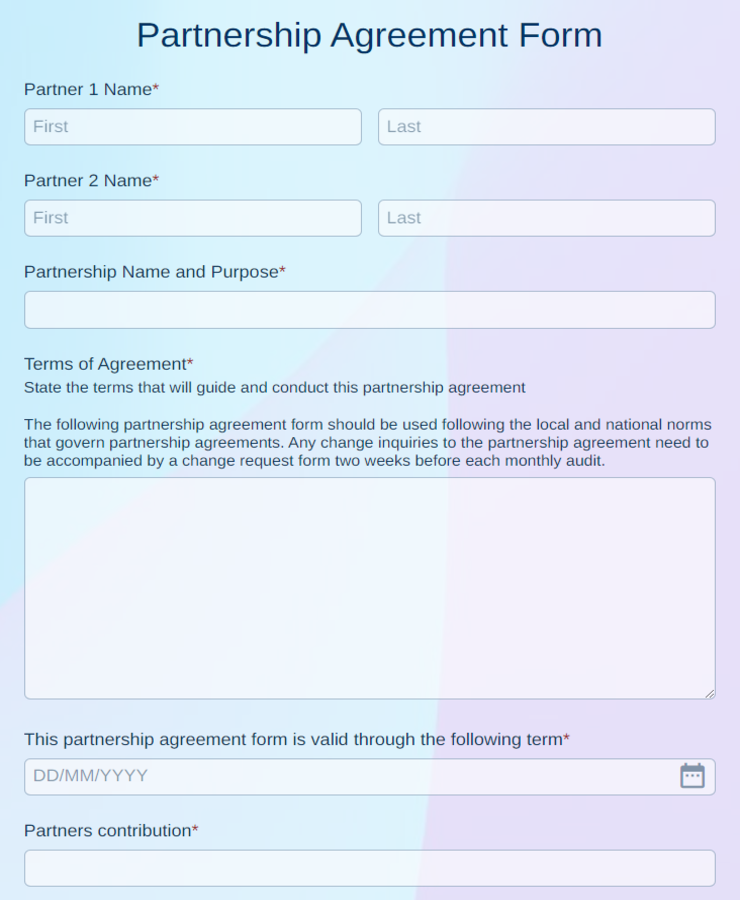
Partnership agreement with partner details, business purpose, capital contributions, profit and loss split, roles, and dated signature blocks for every partner.
Available online on
Download as
- Free PDF and Word downloads for offline use
- Fillable fields you can customize for your business
- Share a link or print copies for in-person sign-ups
- Ready-made online forms on popular form builders
Last updated July 18, 2026. Reviewed by the Online Signature Forms team.
About this template
A Partnership Agreement is the founding document two or more people sign when they go into business together. It names the partners, states the business name and purpose, and — most importantly — records who put in what, how profits and losses are shared, who decides what, and what happens when a partner wants out. Small businesses, professional practices, family ventures, and co-founders use one to replace a handshake with a written record everyone agreed to. The template captures the partner names and addresses, the business name and purpose, each partner's capital contribution, the profit and loss split, the roles and decision-making rules, the exit terms, and a dated signature line for every partner.
The signatures are the point: they turn a set of intentions into commitments the partners can rely on, especially when money or disagreements are involved later. That is why the layout keeps the contribution and profit-split terms readable and gives every partner a signature and date line at the end. This is a general-purpose layout with the sections most partnerships need — not legal advice. Because a business partnership is a significant relationship, have an attorney review the wording before you sign.
How partners use this agreement
Two friends opening a bakery use it to record that one contributed the equipment and the other the cash, and that profits split evenly after costs. Three consultants forming a practice set out who leads client work, who handles finances, and how a major decision needs a majority. A family running a rental business writes down the buyout formula so that if one relative leaves, the others can buy the share without a fight. The signed agreement is what they return to whenever a question about money or authority comes up.
Customize the terms before signing
Open the Word (DOCX) download to add more partners, adjust the contribution and profit-split percentages, and set your own decision-making thresholds and exit terms. Add the business name and logo, insert any buy-sell, non-compete, or dispute-resolution clauses your venture needs, and define how new partners can be admitted. The fillable PDF is ready to sign on paper or on a device without changing the layout — keep every partner's signature line intact so the executed copy is complete.
Common mistakes to avoid
Do not leave the profit and loss split vague — state the percentages and how draws work. Do not skip the exit terms; the hardest conversations happen when a partner leaves, and a formula written in advance prevents a stalemate. And do not forget that every partner must sign and date the document — an agreement only binds the people who put their name to it. If a partner is signing on behalf of an entity, note their title and authority.
Example scenario
Two designers form a studio as equal partners. The agreement records a $10,000 contribution each, a 50/50 profit split, and that either partner can spend up to $2,000 alone but larger commitments need both to agree. It also sets a buyout price based on the prior year's revenue. Both sign and date two copies. A year later, when one partner wants to bring in a third, they follow the admission clause and sign an amendment rather than renegotiate from scratch.
Choosing PDF or Word
This page provides a printable fillable PDF and an editable Word (DOCX) file. Use the Word file when you need to change the partners, contributions, or profit split before printing, and the PDF when the terms are settled and you just need to fill and sign. Both include dated signature lines for every partner so the agreement is ready to execute.
Typical fields
- Partner names and addresses
- Business name and purpose
- Capital contributions per partner
- Profit and loss split
- Roles and responsibilities
- Decision-making and voting rules
- Exit, buyout, and dissolution terms
- Signature, printed name, and date for each partner
Best for
- Co-founders launching a small business
- Professional practices and consultancies
- Family and multi-owner ventures
- Any group formalizing a business partnership
When to use PDF vs online
Use the PDF or Word download for in-person sign-ups, fax, or email attachments. Choose an online form when you need automatic notifications, payment integrations, or a shareable link for customers.