 forms.app
Pet Adoption Application Template
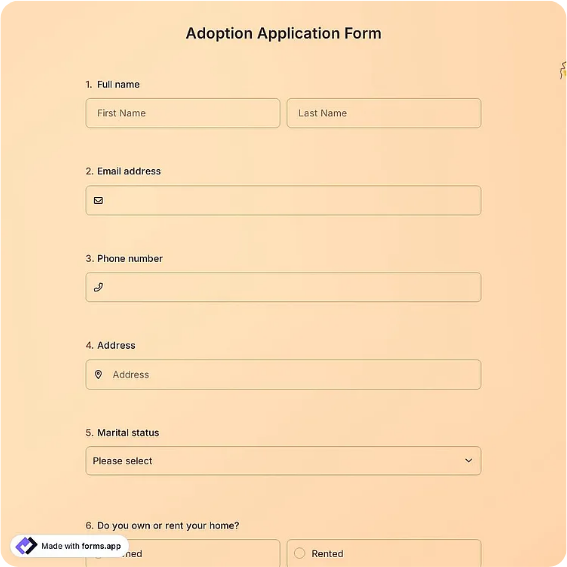
Pet adoption application with applicant details, home and household information, the pet of interest, pet-care experience and a vet reference, an adoption-agreement acknowledgment, and a dated applicant signature.
Available online on
Download as
- Free PDF and Word downloads for offline use
- Fillable fields you can customize for your business
- Share a link or print copies for in-person sign-ups
- Ready-made online forms on popular form builders
Last updated July 18, 2026. Reviewed by the Online Signature Forms team.
About this template
A Pet Adoption Application is the form a rescue, shelter, or breeder uses to screen a prospective adopter before placing an animal. It gathers the applicant's details, information about their home and household, the specific pet they are interested in, their experience caring for animals, and a veterinary reference, and it closes with an acknowledgment of the adoption terms and a dated signature. Animal shelters, breed-specific rescues, foster networks, and humane societies use one so every applicant answers the same questions and commits in writing to caring for the animal responsibly.
The signature and acknowledgment are the point: they confirm the applicant has read the adoption terms — the fees, the spay/neuter and vaccination expectations, and the return policy — and agrees to them before an animal goes home. That is why this layout keeps the household and experience sections thorough, adds a clear acknowledgment checkbox for the adoption agreement, and places the dated signature block at the end. This is a general-purpose layout with the sections most adoption applications need, not legal advice; adoption contracts and any spay/neuter requirements vary by organization and jurisdiction, so review the wording for your program.
How teams use this form
A city shelter has every visitor interested in a dog complete the application before a meet-and-greet, using the household and experience answers to match the right animal to the right home. A breed rescue collects the vet reference and landlord-permission details before approving a foster-to-adopt placement. A cat rescue at an adoption event uses the form to screen walk-up applicants on the spot. The signed copy documents that the adopter was screened and agreed to the organization's terms.
Customize the questions before signing
Open the Word (DOCX) download to edit the screening questions, add landlord-permission or home-visit fields, set your adoption fee and spay/neuter policy, and reword the adoption-agreement acknowledgment. Add your organization name and logo, and insert any return-to-rescue or follow-up clauses your program requires. The fillable PDF is ready to complete on paper or a device without changing the layout — keep the acknowledgment checkbox and signature line intact so the finished application is complete.
Common mistakes to avoid
Do not skip the household and experience questions — who lives in the home, whether the rental allows pets, and how the applicant has cared for animals before are the heart of a good match. Do not leave out the vet reference for applicants who have owned pets. And do not forget the acknowledgment and signature: an application only carries weight once the applicant has checked the box confirming they agree to the adoption terms and has signed and dated it.
Example scenario
A family applies to adopt a two-year-old shelter dog. They fill in their details, describe their household and fenced yard, confirm their rental allows pets, name their previous dog's veterinarian as a reference, and note their experience with large breeds. They check the acknowledgment box agreeing to the adoption fee, spay/neuter commitment, and return policy, then sign and date. The shelter reviews the application, confirms the vet reference, and approves the adoption.
Choosing PDF or Word
This page provides a printable fillable PDF and an editable Word (DOCX) file. Use the Word file when you need to change the screening questions, fees, or adoption terms before printing, and the PDF when the questions are set and you just need the applicant to fill, acknowledge, and sign. Both include the acknowledgment checkbox and a dated applicant signature line so the application is ready to use.
Typical fields
- Applicant name and contact
- Home address and housing type (own / rent)
- Landlord permission (if renting)
- Household members and children's ages
- Other pets in the home
- Pet of interest (name / ID and species/breed)
- Pet-care experience
- Veterinarian reference (name and phone)
- Adoption-agreement acknowledgment checkbox
- Applicant signature, printed name, and date
- Shelter / organization representative signature and date
Best for
- Animal shelters and humane societies
- Breed-specific and foster rescues
- Adoption events and pop-ups
- Screening and matching adopters
When to use PDF vs online
Use the PDF or Word download for in-person sign-ups, fax, or email attachments. Choose an online form when you need automatic notifications, payment integrations, or a shareable link for customers.