 forms.app
Payment Plan Agreement Template
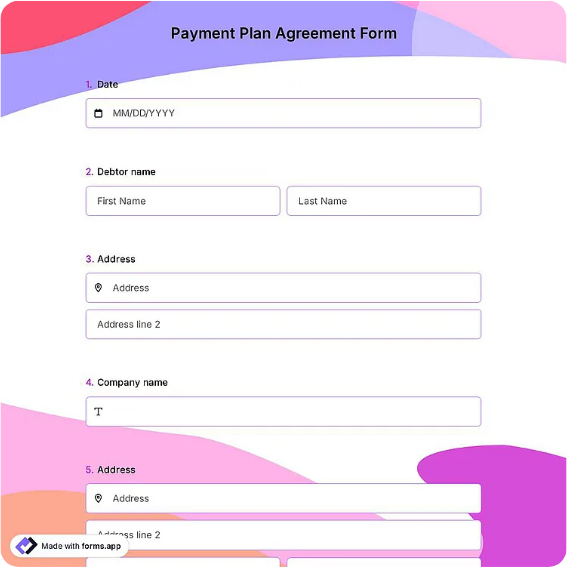
Payment plan agreement to repay a balance owed in installments, with parties, total amount, installment schedule, missed-payment terms, and dual signatures.
Available online on
Download as
- Free PDF and Word downloads for offline use
- Fillable fields you can customize for your business
- Share a link or print copies for in-person sign-ups
- Ready-made online forms on popular form builders
Last updated July 18, 2026. Reviewed by the Online Signature Forms team.
About this template
A Payment Plan Agreement lets a person who owes a balance repay it over time in agreed installments instead of all at once. It records who owes the money, who is receiving it, the total amount due, how many installments there are and how much each one is, the due dates, and what happens if a payment is missed. Businesses use it to help customers settle overdue invoices, service providers use it to spread out a bill, and individuals use it to formalize repayment of a debt. The signatures at the end commit both sides to the schedule.
This layout puts the balance and installment schedule up front so the numbers are easy to check, then closes with a dated signature block for both parties. It is a general-purpose layout with the sections most payment plans need — not financial or legal advice. If the plan adds interest or fees, rules on those vary by jurisdiction, so check your local limits and have an attorney review the wording for a large balance.
How this document is used
A dental office lets a patient pay a large bill in six monthly installments and signs a plan so both sides know the schedule. A contractor agrees to let a client settle an outstanding invoice over three payments. A landlord and tenant write a plan to clear back rent. In each case the agreement replaces an informal "pay me when you can" with clear amounts and dates, which protects the relationship and reduces disputes about what was owed and when.
Set the amounts and schedule before signing
Enter the total balance, the number of installments, the amount of each installment, and the due dates before signing. Add any late fee or interest in the missed-payment section, and decide whether a missed payment makes the full balance due at once. Open the Word (DOCX) file to edit these terms, and use the fillable PDF when the plan is settled. Keep both signature blocks intact so the finished plan is complete.
Common mistakes to avoid
Do not let the installment amounts and due dates stay vague — list each payment and when it is due, and make sure they add up to the total. Do not skip the missed-payment terms, which explain the consequences of a late or skipped installment. Avoid adding fees or interest above your local legal limit. And confirm both parties sign and date the plan, since an unsigned schedule is only a proposal.
Example scenario
A customer owes a repair shop $1,200. They agree to a plan of four monthly installments of $300, due on the first of each month, with a $20 late fee after a five-day grace period and the balance becoming due if two payments are missed. Both parties sign and date two copies and each keeps one. When one payment arrives a few days late, the shop simply applies the agreed fee instead of renegotiating the whole balance.
Choosing PDF or Word
This page provides a printable fillable PDF and an editable Word (DOCX) file. Use the Word file when you need to change the installment amounts, due dates, or missed-payment terms before printing, and the PDF when the plan is settled and you just need to fill and sign. Both include a dated, two-party signature block so the plan is ready to execute.
Typical fields
- Creditor / payee name and address
- Debtor / payer name and address
- Total amount owed
- Number of installments
- Amount of each installment
- Payment due dates / frequency
- Missed or late payment terms
- Creditor signature, printed name, and date
- Debtor signature, printed name, and date
Best for
- Settling overdue invoices
- Medical, dental, or service bills
- Clearing back rent
- Any balance repaid in installments
When to use PDF vs online
Use the PDF or Word download for in-person sign-ups, fax, or email attachments. Choose an online form when you need automatic notifications, payment integrations, or a shareable link for customers.