 Jotform
Invoice with Signature Template
Invoice with an acknowledgment signature: business and client details, invoice number and date, line items, subtotal, tax, total, payment terms, and signature.
Available online on
Download as
- Free PDF and Word downloads for offline use
- Fillable fields you can customize for your business
- Share a link or print copies for in-person sign-ups
- Ready-made online forms on popular form builders
Last updated July 18, 2026. Reviewed by the Online Signature Forms team.
About this template
An Invoice is a request for payment that lists what was sold or delivered, how much each item costs, and the total amount due. This version adds an acknowledgment signature line, so the client can sign to confirm they received the goods or services and accept the charges. That makes it useful for jobs where a signed sign-off matters — contract work, deliveries, on-site services, or any invoice you want the client to formally approve. The line-items table keeps the charges clear, and the signature turns the invoice into a record both sides have agreed to.
This layout puts the business and client details and the invoice number and date at the top, a line-items table in the middle, the subtotal, tax, and total below it, and the payment terms and authorized signature at the end. It is a general-purpose layout with the sections most invoices need — not financial or legal advice. Tax rules and invoicing requirements differ by jurisdiction, so confirm what your local rules require and have an accountant or attorney review the format if you are unsure.
How this document is used
A contractor issues an invoice after finishing a job and has the client sign to confirm the work was completed and accepted. A delivery service leaves a signed invoice as proof the goods arrived. A consultant bills for hours and asks the client to acknowledge the total before paying. In each case the signature adds a layer of confirmation on top of the standard invoice, reducing later disputes about whether the work was done or the amount was agreed.
Set the amounts and schedule before signing
Fill in each line item — description, quantity, unit price, and amount — then total them into the subtotal, add tax, and show the final total. Enter the invoice number, the date, and the payment terms, such as "due within 14 days." Open the Word (DOCX) file to add your logo, change the columns, or adjust the tax and terms. Use the fillable PDF when the invoice is ready to send and sign. Keep the signature line intact so the acknowledgment is complete.
Common mistakes to avoid
Do not leave the invoice number or date blank — they are how the payment is tracked and matched. Make sure the line-item amounts add up to the subtotal, and that the subtotal plus tax equals the total. Do not forget the payment terms, which set the due date and any late-payment charge. And if you need the acknowledgment, confirm the client signs and dates the invoice rather than just receiving it.
Example scenario
A landscaper completes a garden project and issues an invoice listing four line items — design, planting, materials, and cleanup — with a subtotal, 8% tax, and a total of $2,160. The invoice shows a number, the date, and "net 15" payment terms. The client signs and dates the acknowledgment line to confirm the work is done, and both keep a copy. When payment is processed, the signed invoice matches the record exactly.
Choosing PDF or Word
This page provides a printable fillable PDF and an editable Word (DOCX) file. Use the Word file when you need to add your branding, change the line-item columns, or adjust the tax and terms before sending, and the PDF when the invoice is ready to fill and sign. Both include the line-items table and a dated authorized-signature line so the invoice doubles as a signed acknowledgment.
Typical fields
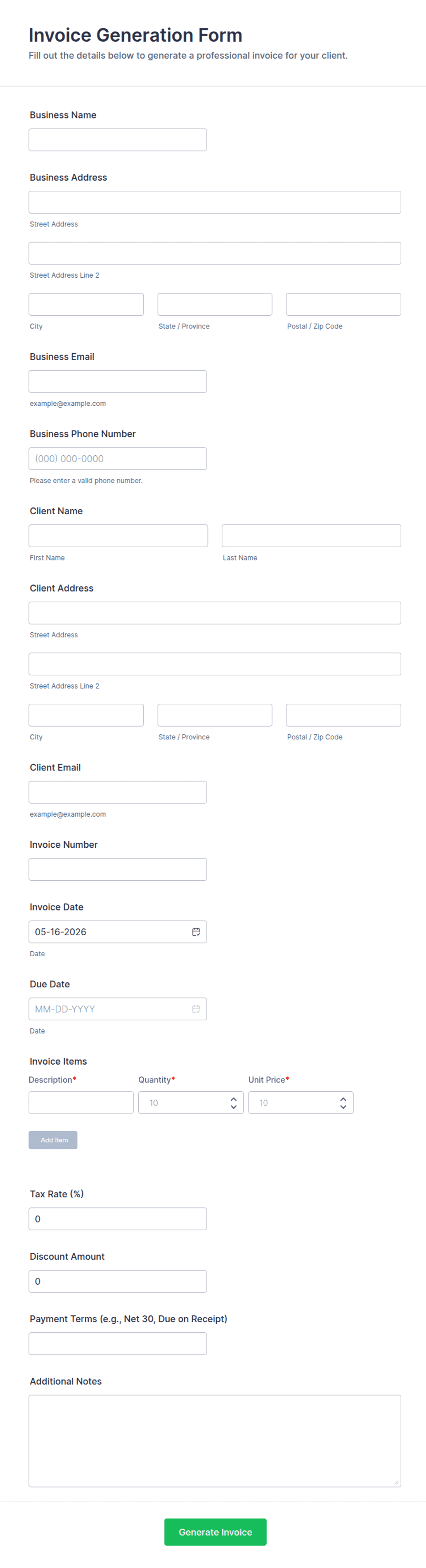
- Business name, address, and contact
- Client / bill-to name and address
- Invoice number and date
- Line items (description, quantity, unit price, amount)
- Subtotal
- Tax
- Total amount due
- Payment terms and due date
- Authorized signature, printed name, and date
Best for
- Contractors and tradespeople
- Freelancers and consultants
- Delivery and on-site services
- Any invoice needing a signed acknowledgment
When to use PDF vs online
Use the PDF or Word download for in-person sign-ups, fax, or email attachments. Choose an online form when you need automatic notifications, payment integrations, or a shareable link for customers.