 Jotform
ACH Authorization Form Template
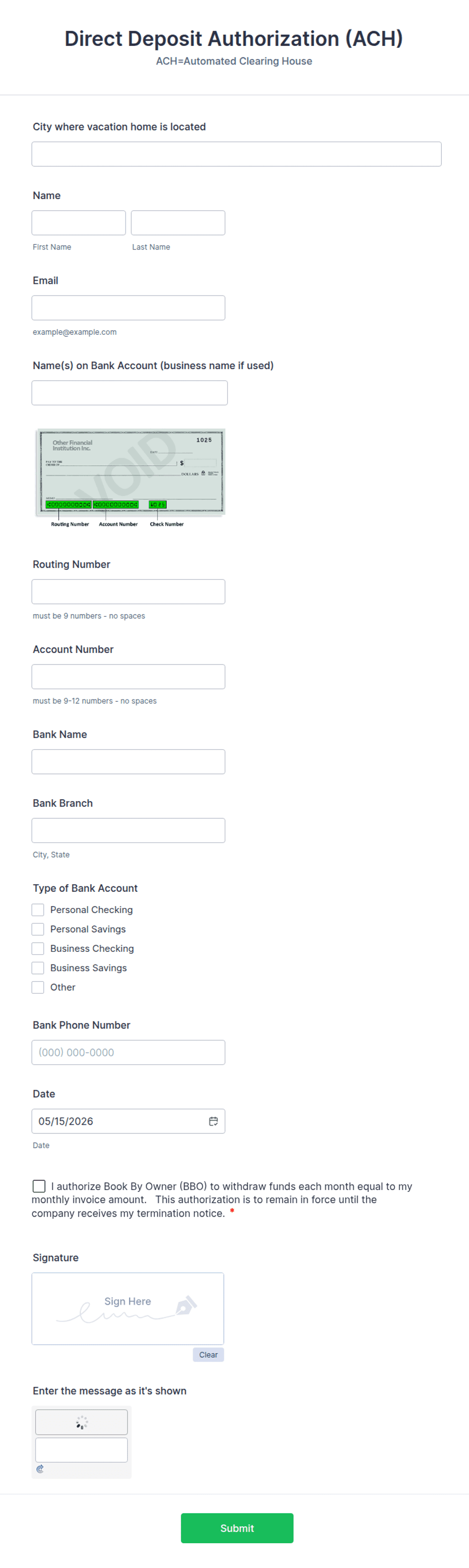
Authorize ACH debits or credits with account holder details, bank name, routing and account numbers, account type, amount, frequency, start date, and a dated signature.
Available online on
Download as
- Free PDF and Word downloads for offline use
- Fillable fields you can customize for your business
- Share a link or print copies for in-person sign-ups
- Ready-made online forms on popular form builders
Last updated July 18, 2026. Reviewed by the Online Signature Forms team.
About this template
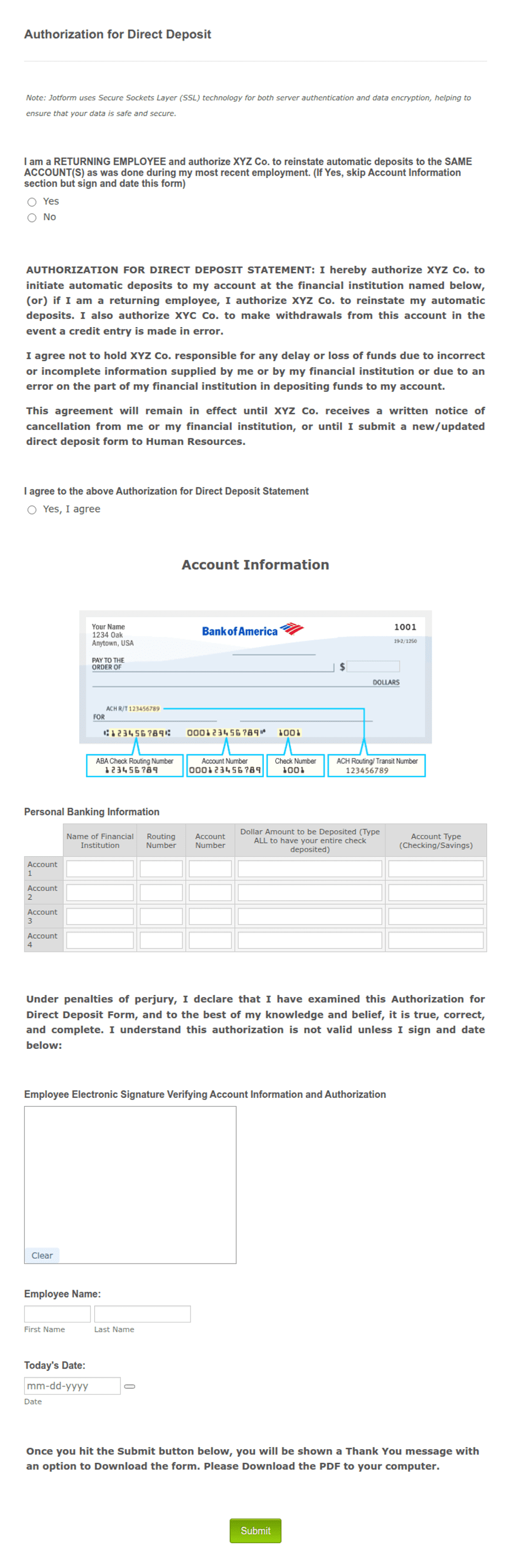
An ACH Authorization Form is the account holder's written permission for a business to move money to or from their bank account through the Automated Clearing House network. Utilities, lenders, subscription services, landlords, and vendors use one to collect recurring payments or to deposit funds electronically. The form captures the account holder's name, the bank name, the routing and account numbers, the account type, the amount, how often the transfer happens, the start date, and a dated signature that authorizes it.
The signature is what authorizes the transfer and protects both sides if a payment is ever questioned. That is why this layout keeps the bank details in a clean, tabular block and ends with an authorization-and-revocation statement, a consent checkbox, and a dated signature line. This is a general-purpose layout with the fields most businesses need — not legal, banking, or Nacha-compliance advice. Confirm what your bank, payment processor, and ACH rules require before you rely on it.
How teams use this form
A property manager collects an ACH authorization so rent is debited on the first of each month without chasing checks. A lender sets up automatic loan payments from a borrower's checking account. A B2B vendor uses a one-time ACH credit to pay a supplier and keeps the signed form as a record. Across all of them the principle is the same: no signed authorization, no transfer.
Customize the fields before signing
Open the Word (DOCX) download to match your billing. Add your business name and logo, mark whether the transaction is a debit or a credit, and set the frequency — one-time, weekly, monthly. Choose between a fixed amount and a variable amount tied to an invoice, and ask the account holder to attach a voided check if your bank needs it to verify the account. The fillable PDF is ready to sign on paper or on a device; keep the authorization statement and signature block intact.
Handle sensitive data carefully
Routing and account numbers are sensitive, so protect every signed form. Store it securely, limit access to billing staff, and never send bank details over unencrypted email. State clearly that the authorization remains in effect until the account holder cancels it in writing, and give reasonable notice for any changes to the amount or timing. Destroy outdated authorizations securely once a new one replaces them.
Example scenario
A tenant sets up automatic rent payments with her landlord. She completes the form: account holder name, bank name, routing and account numbers, checking account, $1,450 monthly, starting the first of next month. She reads the authorization-and-revocation statement, ticks the consent box, and signs and dates it, attaching a voided check. The landlord debits the rent each month. When she moves out, she cancels in writing, the debits stop, and the signed form plus the cancellation note show exactly what was authorized.
Choosing PDF or Word
This page provides a printable fillable PDF and an editable Word (DOCX) file. Use the Word file when you want to change the frequency, wording, or debit-versus-credit setup before printing, and the PDF when the terms are set and the account holder just needs to fill and sign. Both include the authorization-and-revocation statement, consent checkbox, and a dated signature block so you have a complete record.
Typical fields
- Account holder name
- Bank / financial institution name
- Routing number
- Account number
- Account type (checking / savings) and debit or credit
- Amount and currency
- Frequency (one-time / recurring) and start date
- Authorization and revocation statement with consent checkbox
- Account holder signature and date
Best for
- Recurring rent and loan payments
- Subscription and utility billing
- B2B vendor payments
- One-time electronic transfers
When to use PDF vs online
Use the PDF or Word download for in-person sign-ups, fax, or email attachments. Choose an online form when you need automatic notifications, payment integrations, or a shareable link for customers.