 Jotform
Background Check Authorization Form Template
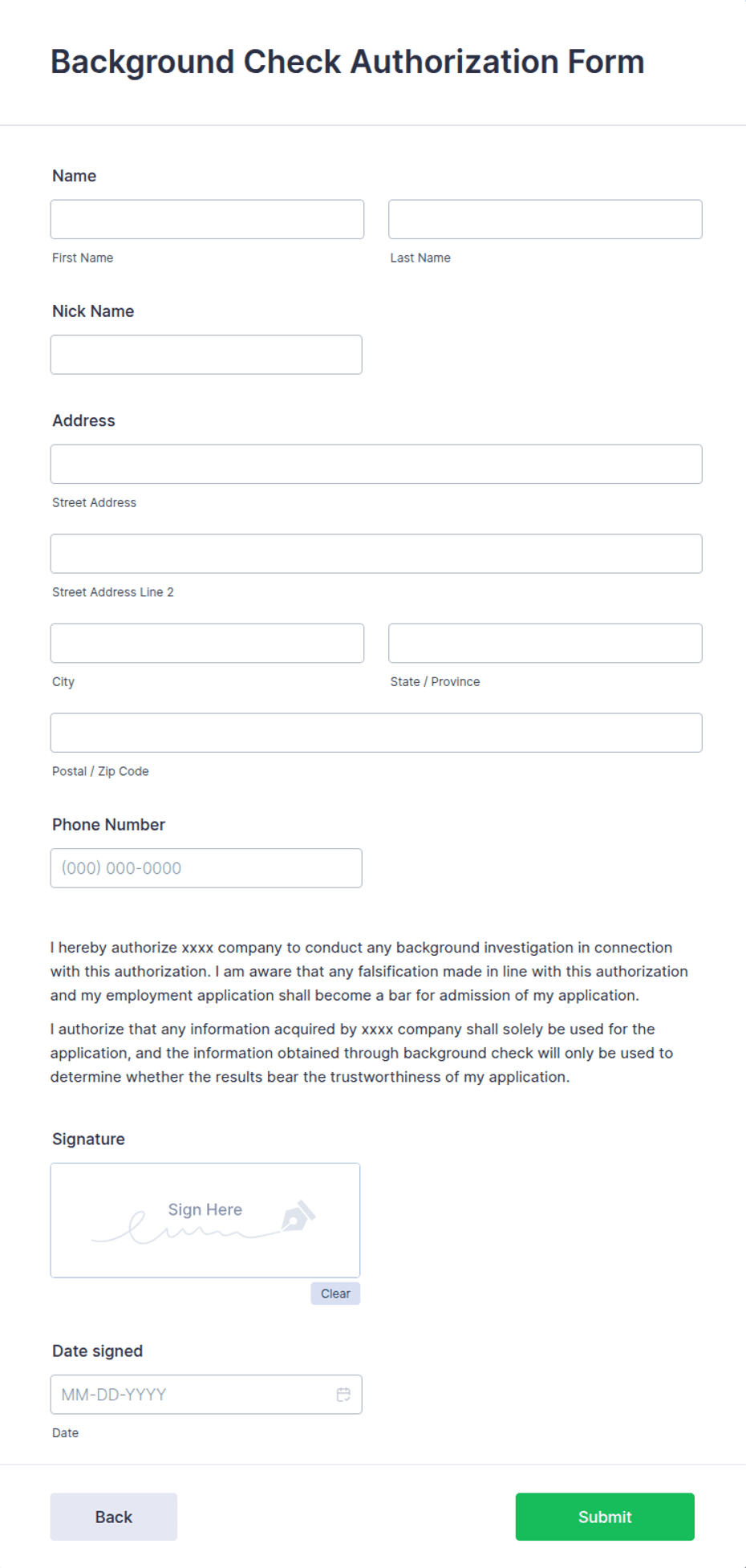
Collect an applicant's consent to a background or reference check with applicant details, date of birth, optional SSN, positions applied for, a disclosure statement, and a dated signature.
Available online on
Download as
- Free PDF and Word downloads for offline use
- Fillable fields you can customize for your business
- Share a link or print copies for in-person sign-ups
- Ready-made online forms on popular form builders
Last updated July 18, 2026. Reviewed by the Online Signature Forms team.
About this template
A Background Check Authorization Form is the written consent an applicant gives before an employer runs a background or reference check. Hiring managers, HR teams, staffing agencies, and volunteer coordinators use one to document that the candidate agreed to the screening. The form collects the applicant's name and contact details, date of birth, an optional Social Security number, the position or positions applied for, a clear disclosure and authorization statement, and a dated signature that permits the check.
The signature — paired with a plain disclosure — is what makes the screening defensible and consented-to. That is why this layout separates the disclosure statement from other paperwork, adds a consent checkbox, and ends with a dated signature line. This is a general-purpose layout with the fields most employers use — not legal or compliance advice. Background screening is regulated in many places, so confirm what the FCRA, your state, and your screening provider require before you rely on it.
How teams use this form
An HR team sends the authorization once a candidate reaches the offer stage, before ordering a report from a screening vendor. A nonprofit collects one from every volunteer who will work with children. A staffing agency keeps a signed copy per placement so it can show consent if a client asks. The rule holds across all of them: no signed authorization, no background check.
Customize the fields before signing
Open the Word (DOCX) download to fit your hiring process. Add your organization name and logo, list the specific checks you run — criminal history, employment verification, education, driving record — and decide whether to collect a Social Security number or leave that field optional. Add the standalone disclosure language your jurisdiction requires. The fillable PDF is ready to complete on paper or on screen; keep the disclosure, consent checkbox, and signature block in place.
Handle sensitive data carefully
This form can capture a date of birth and Social Security number, so treat every signed copy as sensitive. Store it securely, restrict access to the people who run screenings, and never send identifiers over unencrypted email. Collect only the information your check actually needs, and delete or destroy the form securely once your retention period ends. Tell applicants how their information will be used and how long you keep it.
Example scenario
A logistics company extends a conditional offer to a driver. Before ordering the report, HR sends the authorization: the driver enters his name, contact details, date of birth, and Social Security number, and notes the position "delivery driver." He reads the disclosure and authorization statement, ticks the consent box, and signs and dates it. The screening vendor runs a criminal-history and driving-record check, and the signed form stays in the file as proof the driver agreed to it.
Choosing PDF or Word
This page provides a printable fillable PDF and an editable Word (DOCX) file. Use the Word file when you need to add jurisdiction-specific disclosure language, list particular checks, or adjust the fields before printing, and the PDF when your process is set and the applicant just needs to fill and sign. Both include the disclosure statement, consent checkbox, and a dated signature block.
Typical fields
- Applicant full name
- Current address and contact details
- Date of birth
- Social Security number (optional)
- Position(s) applied for
- Type of checks authorized (criminal, employment, education)
- Disclosure and authorization statement with consent checkbox
- Applicant signature and date
Best for
- Pre-employment screening
- Volunteer and contractor vetting
- Staffing and recruitment agencies
- Reference and employment verification
When to use PDF vs online
Use the PDF or Word download for in-person sign-ups, fax, or email attachments. Choose an online form when you need automatic notifications, payment integrations, or a shareable link for customers.