 Jotform
Employee Handbook Acknowledgment Template
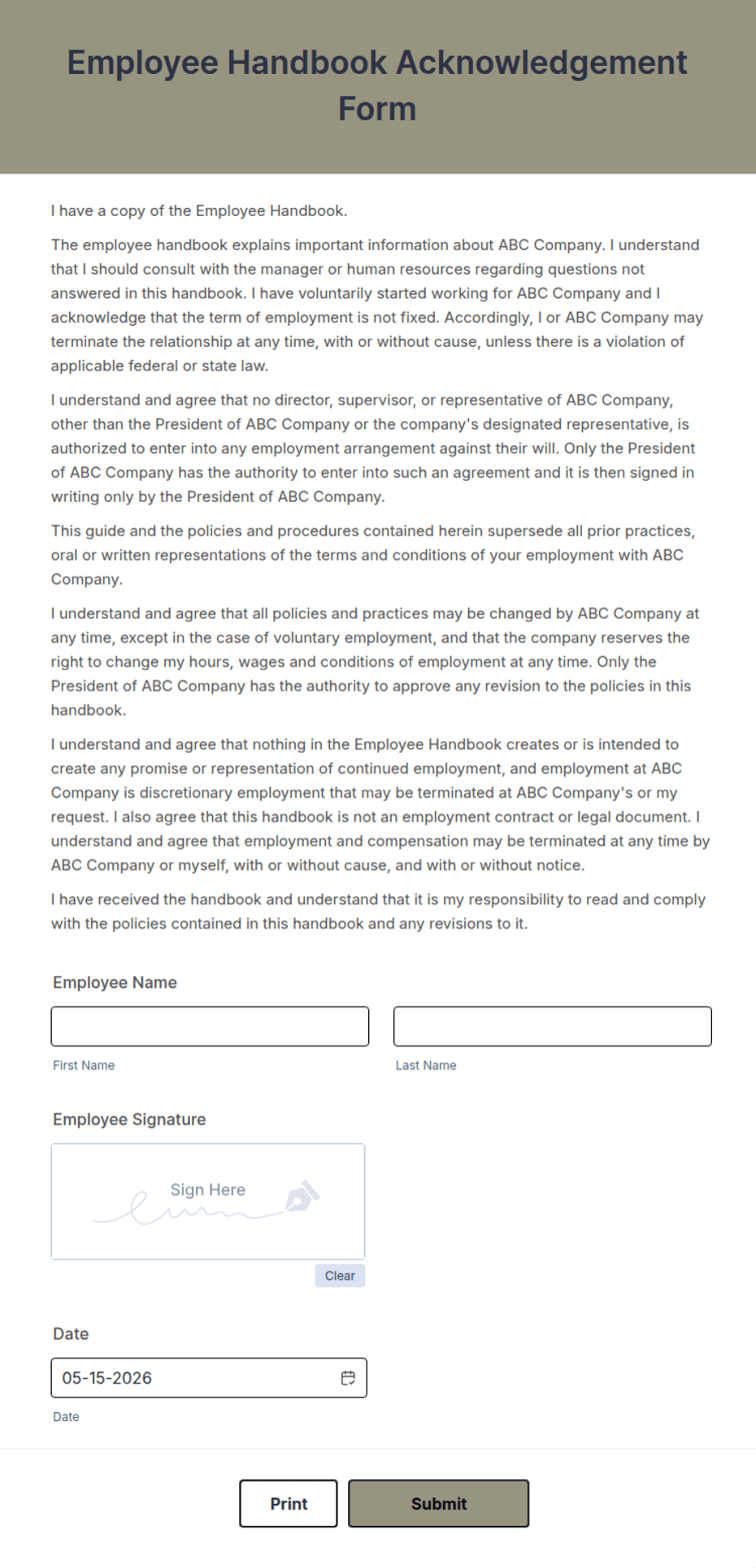
Handbook acknowledgment where an employee confirms they received and read the employee handbook, with a checkbox and a dated signature line.
Available online on
Download as
- Free PDF and Word downloads for offline use
- Fillable fields you can customize for your business
- Share a link or print copies for in-person sign-ups
- Ready-made online forms on popular form builders
Last updated July 18, 2026. Reviewed by the Online Signature Forms team.
About this template
An Employee Handbook Acknowledgment is the short form an employee signs to confirm they have received the company handbook and understand it is their responsibility to read and follow it. HR teams use one to keep a clear record that each employee was given the policies — attendance, conduct, safety, leave, and the rest — so there is no later dispute about whether the rules were shared. Typical fields include the employee name, the department, the handbook version or date, an acknowledgment statement, a confirmation checkbox, and a dated signature line.
The signature and checkbox are the whole point: together they create a dated record that the employee received the handbook and accepted the responsibility to read it. That is why this layout keeps the acknowledgment statement plain and places a checkbox and a single dated signature line at the end. To be clear, this is a general-purpose layout, not legal or employment-law advice. Policy and acknowledgment requirements vary by country and state, so have your HR team or an attorney review the wording and your handbook before you use it.
How teams use this form
A retailer hands each new hire the handbook on day one and collects a signed acknowledgment before the first shift. An office issues a fresh acknowledgment whenever the handbook is updated, so the file always reflects the current version. A franchise keeps signed copies per location as evidence that every employee received the same policies. The common thread: the acknowledgment proves the handbook was delivered and read, not just written.
Customize it before signing
Open the Word (DOCX) download to edit the acknowledgment statement, reference your handbook version or date, and add any specific policies you want called out — for example an at-will statement or a code-of-conduct line. Insert your company name and logo. The fillable PDF suits signing on paper or on a device without shifting the layout; keep the checkbox and signature line intact so the record is complete and dated.
Common mistakes to avoid
Do not skip the handbook version or date — without it you cannot show which policies the employee acknowledged. Do not treat the checkbox as optional; it is the explicit confirmation that the employee read the document. Do not forget to collect a fresh acknowledgment after major updates. And do not store the only copy loosely — keep it in the employee's file where it can be found if needed.
Example scenario
A cafe updates its handbook to add a new safety policy. Each employee receives the revised version, ticks the acknowledgment checkbox, and signs and dates the form. The manager files the signed copies. Months later, when a safety question arises, the manager can show that every employee received and acknowledged the updated handbook on a specific date.
Choosing PDF or Word
This page provides a printable fillable PDF and an editable Word (DOCX) file. Use the Word file when you need to adjust the acknowledgment wording or reference a new handbook version, and the PDF when the statement is set and you just need the employee to check the box, sign, and date. Both include the confirmation checkbox and a dated signature line.
Typical fields
- Employee name
- Department
- Job title
- Handbook version or date received
- Acknowledgment statement
- Confirmation checkbox (received and read the handbook)
- Employee signature
- Date
Best for
- New-hire onboarding day one
- Handbook updates and re-acknowledgments
- Multi-location and franchise teams
- HR record-keeping and compliance files
When to use PDF vs online
Use the PDF or Word download for in-person sign-ups, fax, or email attachments. Choose an online form when you need automatic notifications, payment integrations, or a shareable link for customers.