 forms.app
Activity Waiver Form Template
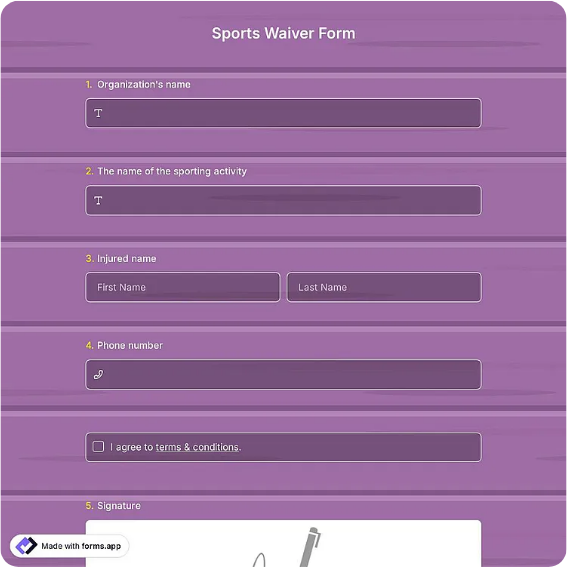
Activity waiver for a specific class, tour, or sport, with participant details, activity and date, health acknowledgment, an assumption-of-risk statement with checkbox, and dated signatures.
Available online on
Download as
- Free PDF and Word downloads for offline use
- Fillable fields you can customize for your business
- Share a link or print copies for in-person sign-ups
- Ready-made online forms on popular form builders
Last updated July 18, 2026. Reviewed by the Online Signature Forms team.
About this template
An Activity Waiver is a signed statement tied to one specific activity or event — a fitness class, a guided tour, a sports session, a workshop — in which the participant acknowledges the risks and agrees to take part voluntarily. Studios, tour companies, recreation departments, and clubs use one so each participant reviews the same risk language before the session begins. Typical fields include the participant's name and contact, the activity and its date, a short health acknowledgment, the assumption-of-risk statement, an acknowledgment checkbox, and a dated signature — plus a guardian section for minors.
Because the waiver is for a single activity, this layout keeps it short and puts the risk statement and its acknowledgment checkbox directly above the signature block. To be clear, this is a general-purpose layout with the sections most activity waivers include — not legal advice. Waiver enforceability varies by state, and waivers signed for minors are treated differently from those signed by adults, so have an attorney draft or review the release language for your activity and jurisdiction.
How teams use this form
A yoga studio has drop-in students sign a waiver for their first class and keeps it on file. A city recreation department collects one per participant before a weekend hiking outing. A recreational soccer club has each player sign before the season's first practice, with a parent signing for anyone under 18. The common thread: the waiver is completed before the activity, matched to the specific session and date.
Customize the statement before signing
Open the Word (DOCX) download to name the activity, set the date, and edit the risk and health wording to fit what you run. Add any medical-treatment consent, equipment, or conduct clauses your program needs, and adjust the guardian language for minors. The fillable PDF is ready to sign on paper or on a device; keep the acknowledgment checkbox and signature lines intact so the finished waiver is complete.
Common mistakes to avoid
Do not reuse a generic waiver without naming the actual activity and date — a signed form should match the session it covers. Do not skip the health acknowledgment or the acknowledgment checkbox. And do not let a minor sign for themselves: a parent or legal guardian must complete the guardian section and sign. Collect the waiver before the activity starts.
Example scenario
A climbing gym runs a beginner bouldering class on a Saturday. Each student fills in their name and contact, confirms they know of no health condition that would prevent safe participation, reads the assumption-of-risk statement, ticks the acknowledgment box, and signs. A 16-year-old's parent completes the guardian section and signs too. The instructor collects the forms before anyone steps onto the wall.
Choosing PDF or Word
This page offers a printable fillable PDF and an editable Word (DOCX) file. Use the Word file when you need to name the activity, adjust the health wording, or add clauses before printing, and the PDF when the details are set and you just need participants to fill and sign. Both include the acknowledgment checkbox and dated participant and guardian signature lines so the waiver is ready to use.
Typical fields
- Participant name and contact
- Activity or event name
- Activity date
- Health acknowledgment
- Assumption-of-risk statement
- Acknowledgment checkbox (I have read and understand)
- Guardian name and relationship (if participant is a minor)
- Participant signature and date
- Parent / guardian signature and date
Best for
- Fitness and yoga studios
- Guided tours and outings
- Recreational sports and clubs
- Workshops and one-off events
When to use PDF vs online
Use the PDF or Word download for in-person sign-ups, fax, or email attachments. Choose an online form when you need automatic notifications, payment integrations, or a shareable link for customers.