 forms.app
Catering Contract Template
Catering contract with caterer and client details, event date, venue, and guest count, menu and services, pricing with deposit and balance, terms, and dated signatures for both parties.
Available online on
Download as
- Free PDF and Word downloads for offline use
- Fillable fields you can customize for your business
- Share a link or print copies for in-person sign-ups
- Ready-made online forms on popular form builders
Last updated July 18, 2026. Reviewed by the Online Signature Forms team.
About this template
A Catering Contract sets out the terms between a caterer and a client for an event — the date, the venue, the guest count, the menu, the services provided, and how the price, deposit, and balance are handled. Caterers, event companies, and venues use one so both sides agree in writing on the headcount, the menu, the staffing, and the payment schedule before the event is booked. Typical fields include the caterer and client names and contact details, the event date, time, venue, and guest count, the menu and services, the pricing with deposit and balance, cancellation and final-count terms, and a dated signature block for each party.
The contract only protects both sides once it is signed, which is why this layout keeps the event, menu, and pricing details readable and places the two-party signature block, with printed name, signature, and date, right at the end. To be clear, this is a general-purpose layout with the sections most catering contracts include — not legal advice. Deposit, final-count, and cancellation rules vary, so have an attorney review the wording before you use it for a large booking.
How teams use this form
A wedding caterer sends the contract as soon as a couple confirms the date, and the booking is held only once the signed contract and deposit come back. A corporate catering company uses the guest-count and final-count sections to lock a headcount deadline a week before the event. A venue with in-house catering references the menu and pricing sections when a client adds a bar package. The common thread: no signed contract and deposit, no booking.
Customize the terms before signing
Open the Word (DOCX) download to edit the menu and services, set your own deposit and balance due dates, and adjust the final-count deadline and cancellation window. Add your company name and logo, insert your service-charge, gratuity, or rental language, and set the policy for dietary changes or overtime. The fillable PDF is ready to sign on paper or on a device; keep the signature lines intact so the finished contract is complete.
Common mistakes to avoid
Do not leave the guest count and final-count deadline unstated — pricing usually depends on the headcount, so both sides need a clear cutoff. Do not skip the deposit terms or the cancellation clause, and be clear about what happens to the deposit if the client cancels. And do not forget that both the caterer and the client must sign and date the contract for it to bind either of them.
Example scenario
A couple books a caterer for a 120-guest wedding reception. The contract lists a three-course plated menu, bar service and staffing, a per-head price, a deposit to hold the date, the balance due two weeks out, and a final-count deadline seven days before the event. Both sign and date two copies at the tasting and each keeps one. When the couple later trims the guest list, the final count adjusts the balance rather than reopening the whole contract.
Choosing PDF or Word
This page offers a printable fillable PDF and an editable Word (DOCX) file. Use the Word file when you need to change the menu, pricing, or final-count terms before printing, and the PDF when the details are set and you just need to fill and sign. Both include a dated, two-party signature block so the contract is ready to execute.
Typical fields
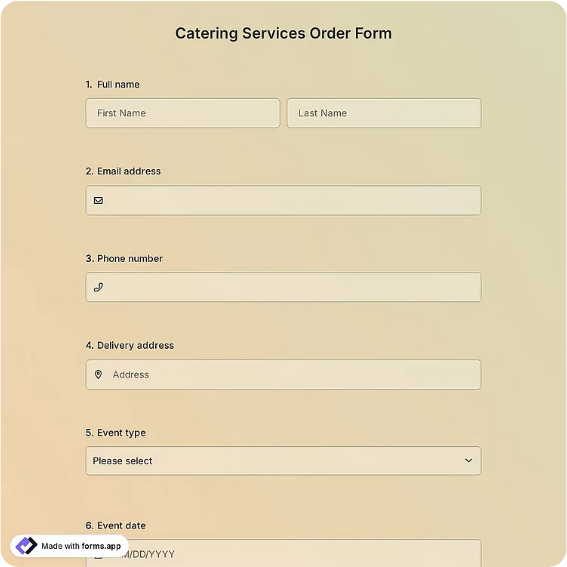
- Caterer name and contact details
- Client name and contact details
- Event date, time, and venue
- Guest count and final-count deadline
- Menu and services (food, bar, staffing, rentals)
- Total price and per-guest rate
- Deposit amount and balance due date
- Cancellation and final-count terms
- Caterer signature, printed name, and date
- Client signature, printed name, and date
Best for
- Wedding and event caterers
- Corporate and office catering
- Venues with in-house catering
- Private parties and celebrations
When to use PDF vs online
Use the PDF or Word download for in-person sign-ups, fax, or email attachments. Choose an online form when you need automatic notifications, payment integrations, or a shareable link for customers.