 Jotform
Business Contract Template
General B2B contract with parties, description of goods or services, price and payment terms, delivery timeline, term, governing law, and dual signatures.
Available online on
Download as
- Free PDF and Word downloads for offline use
- Fillable fields you can customize for your business
- Share a link or print copies for in-person sign-ups
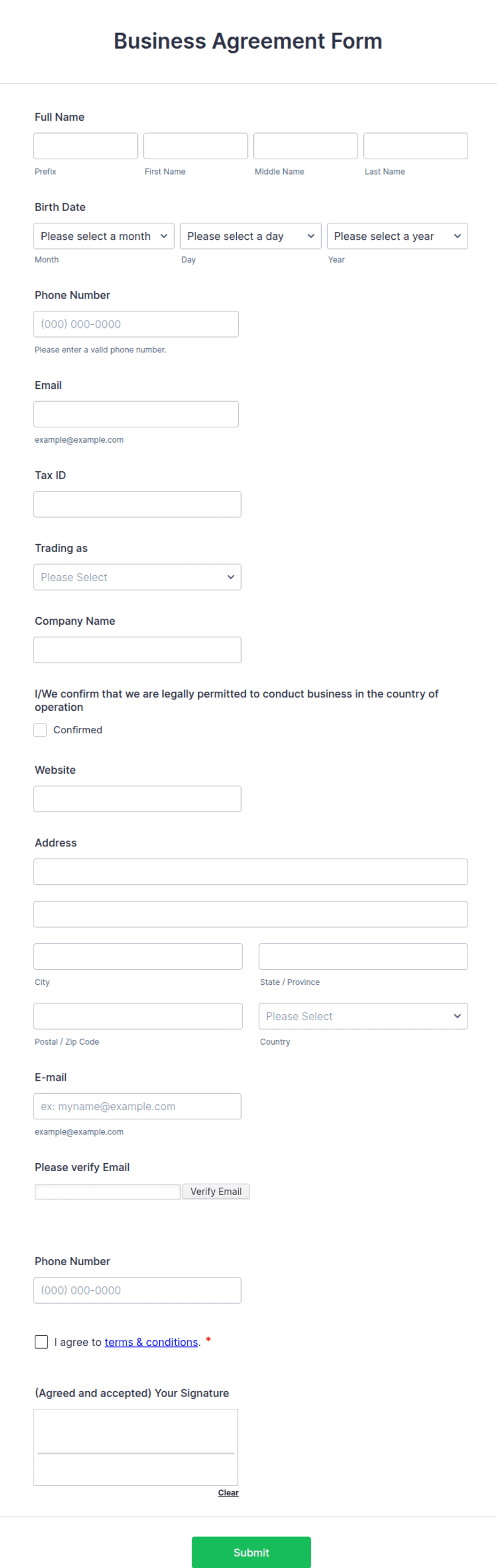
- Ready-made online forms on popular form builders
Last updated July 18, 2026. Reviewed by the Online Signature Forms team.
About this template
A business contract is the general-purpose agreement two companies sign to formalize a deal — a supply arrangement, a service, a purchase, or an ongoing commercial relationship. It records who the parties are, what goods or services change hands, the price and payment terms, the delivery timeline, how long the contract runs, and which law governs it. When a handshake or a purchase order is not enough, a signed business contract gives both sides a single reference they can rely on. Typical fields include both parties' details, a description of the goods or services, the price and payment terms, delivery and timeline, the term and termination, a governing-law line, and a signature block for each party.
A contract becomes binding when both parties sign, so this layout keeps the description and payment sections clear and finishes with a two-party signature block — signature, printed name, title, and date — for each company. To be clear, this is a general-purpose layout with the sections most straightforward B2B deals need, not legal advice. Commercial contracts can carry significant liability, so have an attorney review the wording before you use it for anything material.
How businesses use this contract
A wholesaler and a retailer sign one to lock in unit pricing and delivery windows for a season. A manufacturer uses the payment-terms section to set net-30 invoicing with a late-payment charge. A software vendor points to the term and termination clause to define renewal and notice periods with a business customer. The common purpose: turn a negotiated deal into a signed record that survives staff changes and faulty memories.
Customize the terms before signing
Open the Word (DOCX) download to describe the goods or services precisely, set the price and payment schedule, and define the delivery timeline. Add the governing-law and jurisdiction line that fits where your businesses operate, adjust the term and renewal, and insert any warranty, liability, or dispute-resolution clauses your deal requires. The fillable PDF is best once the terms are settled and you just need to fill and sign on paper or on a device.
Common mistakes to avoid
Do not describe the goods or services vaguely — quantities, specifications, and dates prevent the disputes that sink commercial relationships. Do not omit the payment terms, including due dates and any late fees. Do not leave out the governing-law line, which decides whose rules apply if there is a disagreement. And never let performance begin before both parties sign and date; include each signer's title so it is clear they had authority to bind their company.
Example scenario
A packaging supplier and a food producer sign a contract for monthly deliveries over one year. It specifies the product, unit price, delivery schedule, net-30 payment with a late charge, a 60-day termination notice, and the governing law of the supplier's state. When a delivery arrives short one month, the producer references the description and delivery terms, the supplier corrects it, and the relationship continues — because the expectations were written down and signed.
Choosing PDF or Word
This page provides a printable fillable PDF and an editable Word (DOCX) file. Use the Word file when you need to change the description, price, timeline, or governing-law line before printing, and the PDF when the deal is final and you just need signatures. Both include a dated, two-party signature block so the contract is ready to execute.
Typical fields
- First party (company) name and address
- Second party (company) name and address
- Description of goods or services
- Price and payment terms
- Delivery and timeline
- Term and termination
- Governing law
- First party signature, printed name, title, and date
- Second party signature, printed name, title, and date
Best for
- Supplier and vendor agreements
- B2B purchase and sales deals
- Ongoing commercial relationships
- Any straightforward business-to-business contract
When to use PDF vs online
Use the PDF or Word download for in-person sign-ups, fax, or email attachments. Choose an online form when you need automatic notifications, payment integrations, or a shareable link for customers.